

Buddy Bucks - How To: Revert Points
How to Redeem Buddy Bucks
Buddy Bucks can be redeemed for discount coupons that apply to your order at checkout. When redeeming Buddy Bucks, make sure to choose the reward that matches your cart subtotal, as each reward is tied to a specific order range.
Buddy Bucks Redemption Tiers
| Cart Value | Maximum Credit |
|---|---|
| $55 – $124 | Up to $10 off |
| $125 – $200 | Up to $30 off |
| $201+ | Up to $50 off |
Important
Once Buddy Bucks are converted into a reward coupon, that coupon will only work within the cart range it was redeemed for.
Example
If your cart subtotal is $300, you should redeem the $201+ Buddy Bucks reward so the coupon can be applied successfully at checkout.
Tip: Redeem the reward that matches your cart total.
Example: If your cart is $300, choose the $201+ reward.
If you accidentally redeem the wrong reward tier, you can convert the reward back into points here:
Revert your rewards back to points
Not ready to claim your reward just yet or are you saving it for something bigger? We totally understand! You can revert your Buddy Bucks rewards back to points at any time. A few things to remember:
- You can revert any reward back to points at any time
- Points that are converted into rewards are never lost and never expire (except for limited time offers)
- Your points balance & redeemed balance will be updated if you revert rewards back to points
Revert Rewards*
*You can also redeem your rewards from the My Dashboard page, when viewing your cart, or at checkout.
You can revert Buddy Bucks rewards back to points at any time. See below:
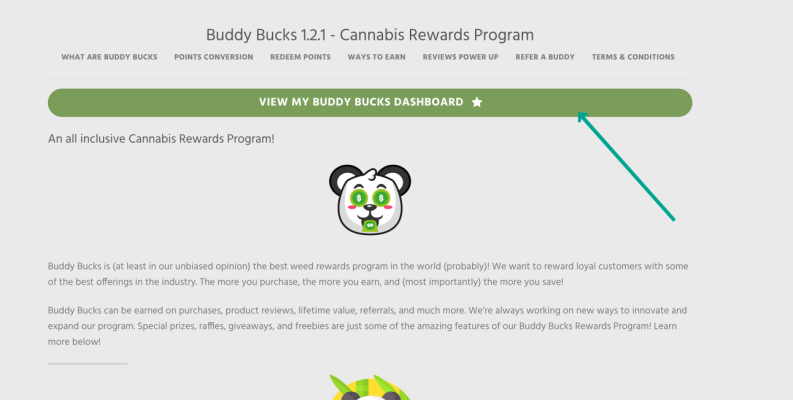
Step 1 – Open up your Buddy Bucks Dashboard
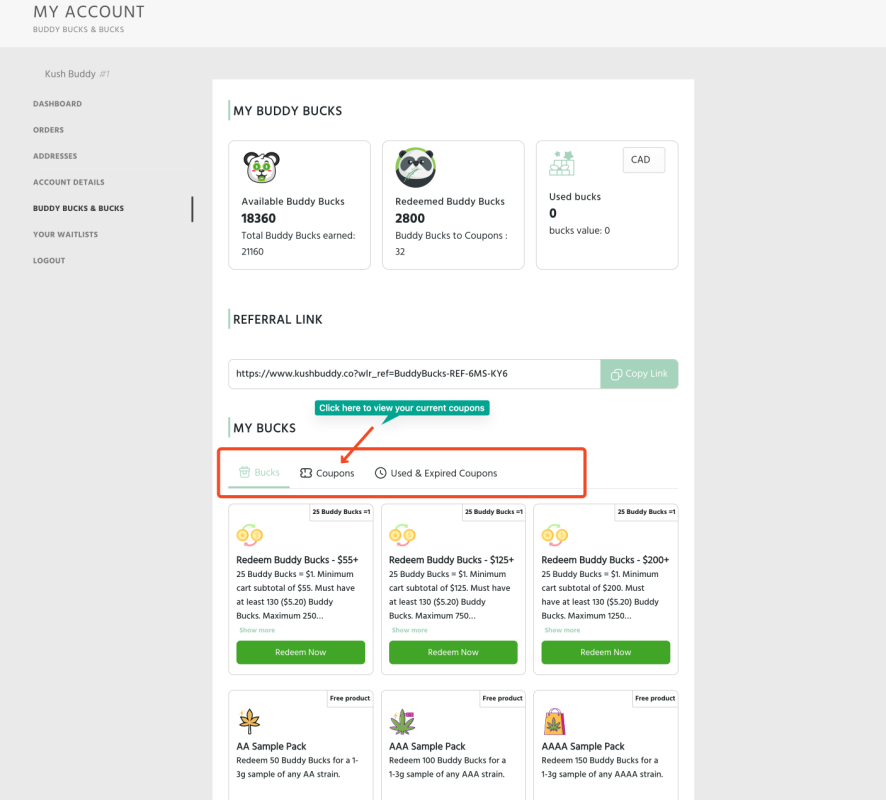
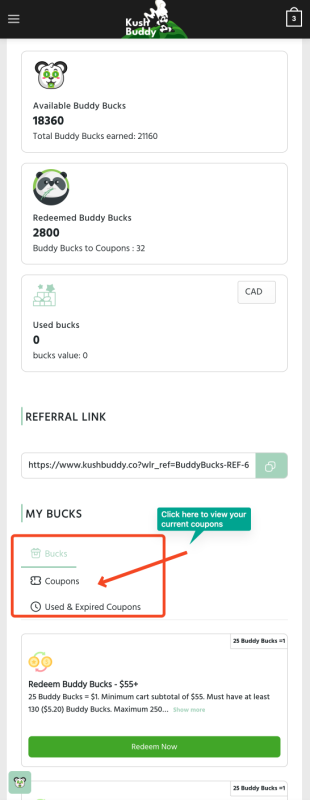
Step 2 – Find the reward you would like to cancel & revert back to points:
DESKTOP
MOBILE
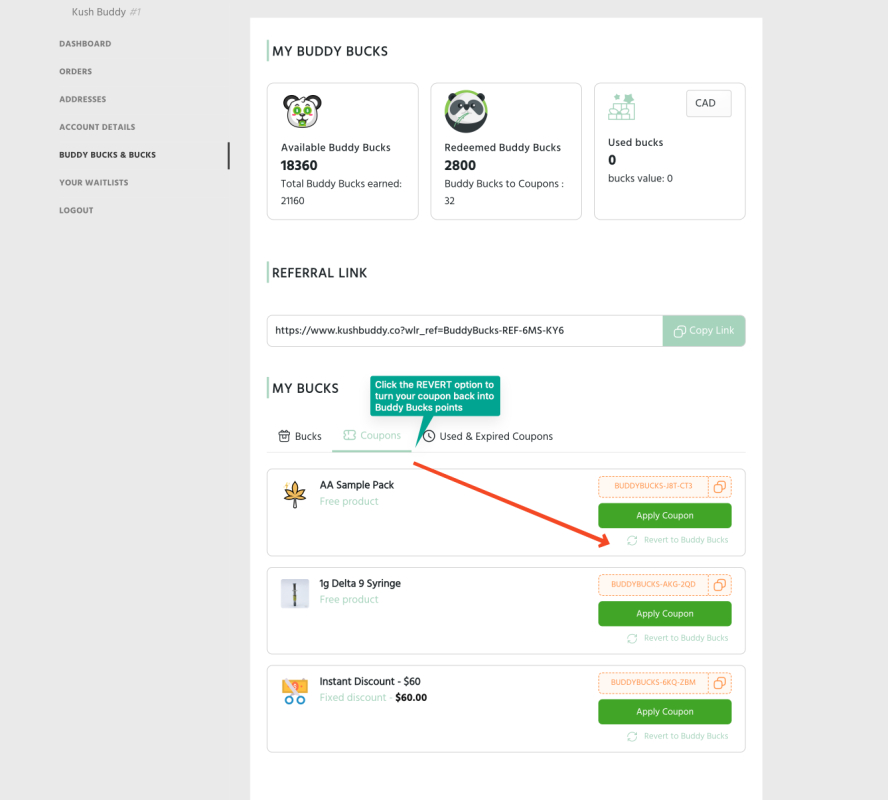
Step 3 – Press the 3 dots to show the revert option
DESKTOP
MOBILE
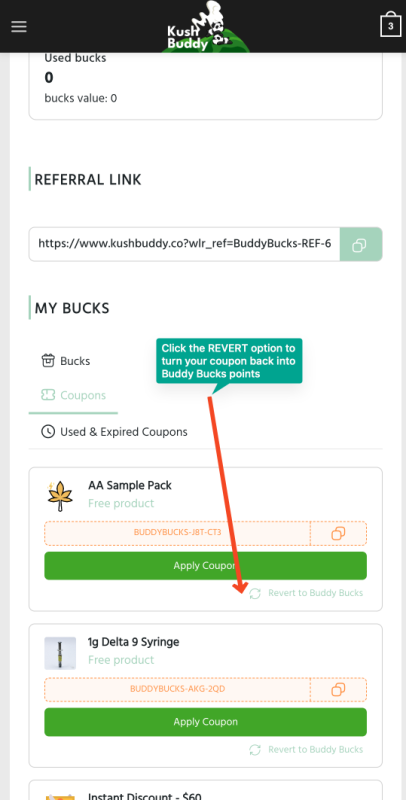
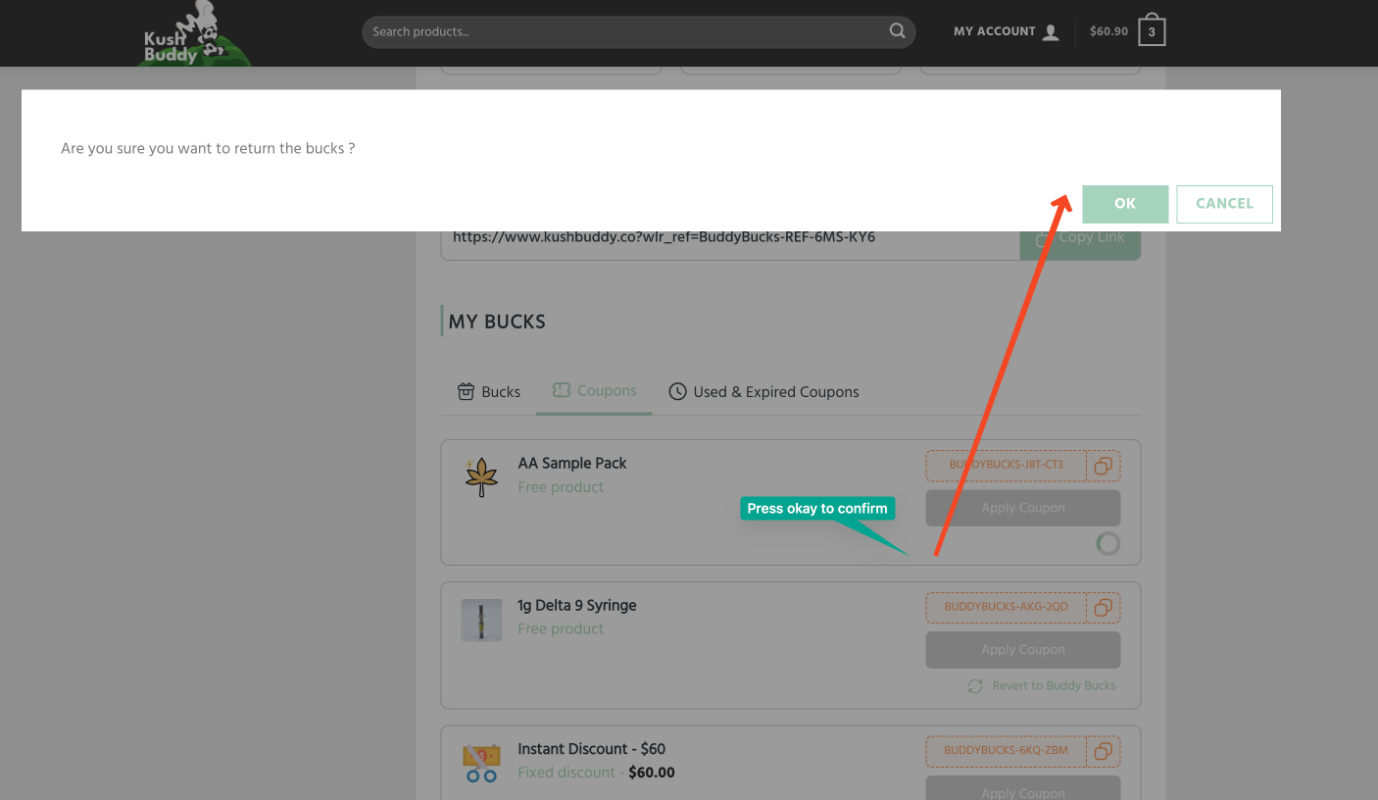
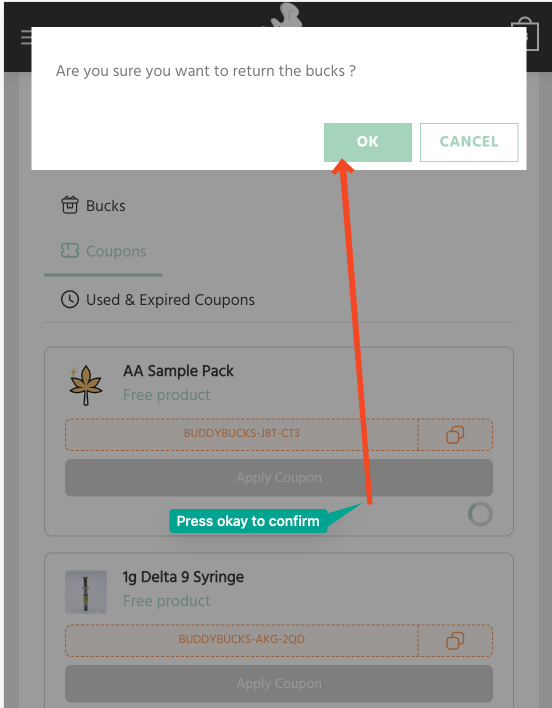
Step 4 – Click the confirmation pop up
DESKTOP
MOBILE
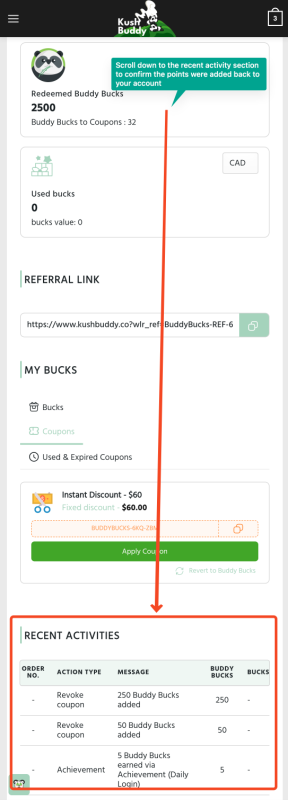
Step 5 – You will see a confirmation. You can confirm by checking your available vs. redeemed points
DESKTOP
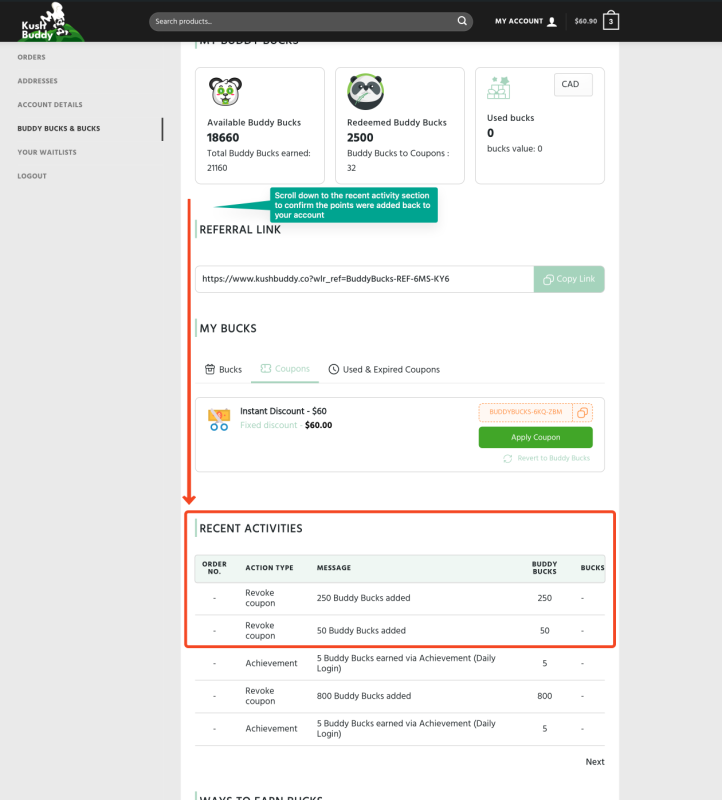
MOBILE
Questions?
Reach out to us at our contact page and we’ll get back to you in a jiffy. 🙂